TV Remote control for All TV
BoostVisionTools
4.26.89K Reviews
- Version
- 1.8.2
- Installs
- 10.00M
- Age Rating
- Everyone
Screenshots
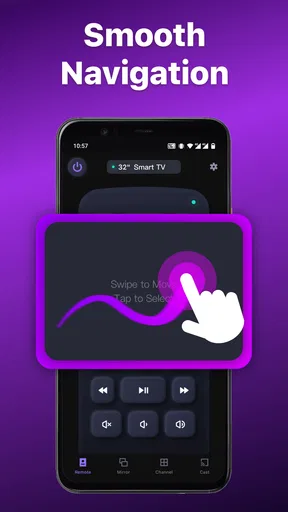
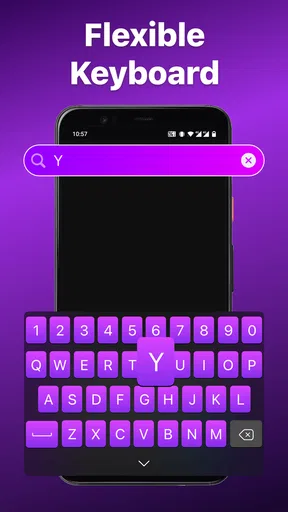
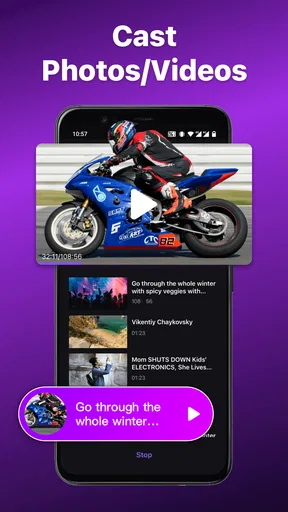
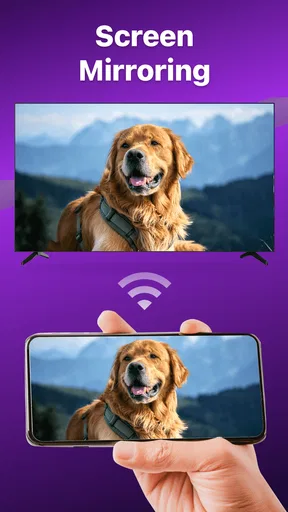
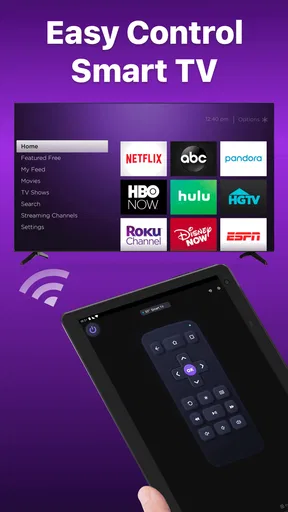
Our Review of TV Remote control for All TV
 Analysis by Appyee
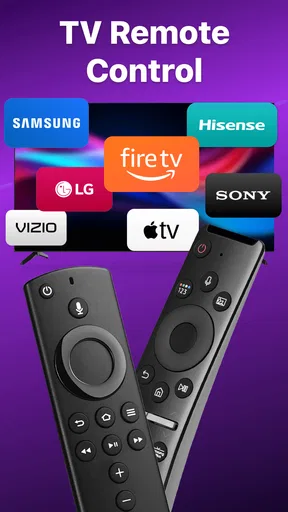
I judge a phone remote by what happens when the original is missing, not by how many controls it can display. TV Remote Control for All TV is meant to turn a phone into a controller for televisions from brands including Samsung, LG, Fire TV, Vizio, Sony, and Apple TV. That broad aim is appealing, but it also makes the practical question more important: will it work with the TV in your room, and will it be easier than finding or replacing the physical remote?
What a phone remote can—and cannot—replace
A phone is handy because it is usually close by, and text entry can be less fiddly on a touchscreen than with a remote’s directional buttons. But a phone remote is not automatically a universal fix. Compatibility and connection depend on the television and the way it communicates with the app. I would treat the app as a convenient option to try, rather than assume it will control every set simply because it supports familiar brands.
That distinction matters if you are shopping for a solution to an immediate problem. If your television is not a compatible smart model, a manufacturer’s own remote app or a replacement physical remote may be the more dependable route. A phone with an infrared transmitter may offer another route for some older equipment, but not every phone has one, and an external accessory adds its own setup. The right choice depends on the TV and phone you already own.
Trust, setup, and the choices in front of you
Because this app acts as a remote, setup is the moment to pay attention rather than tap through automatically. Check that you are selecting the television you intend to control, and follow the connection prompts on your own screen. A TV remote app does not need to be treated as a reason to share unrelated personal information: pause at any request and decide whether it makes sense for the task. I would not infer a particular privacy practice or permission from the app’s basic purpose alone.
The developer is BoostVision, and the app is listed as a free tools app for everyone. Its average rating is 4.1 from around 132,000 ratings, with roughly 6,800 written reviews and over 10 million installs. Those figures suggest plenty of people have tried it, but they cannot tell you whether your particular TV will connect smoothly. The current version is 1.7.9, and the app includes optional in-app purchases priced from $3.99 to $25.99 per item. I would check the options shown in the app before paying, especially if your only goal is basic channel and volume control.
Who is most likely to appreciate it?
I can see the appeal for someone who watches on a compatible smart TV and often uses a phone while viewing anyway. It may also be useful in a shared home where the remote gets moved between rooms, or when a guest needs a straightforward way to adjust the TV without learning a complicated set of buttons. The most convincing benefit is not that a phone replaces every remote; it is that one familiar device can be a backup when the usual one is out of reach.
On the other hand, I would skip it if you need a guaranteed controller for an older television, want to operate equipment without relying on a network connection, or prefer physical buttons for quick, eyes-free adjustments. A dedicated remote is easier to use without unlocking a screen, and a TV maker’s own app can be a better first choice when you want controls tailored to one specific model. If you mainly need to turn the set on from across the room, confirm that your particular setup supports that before relying on the phone.
Getting Started with the App
First things first, downloading the TV Remote Control for All TV app is a breeze. Available on both Android and iOS, it took me all of 30 seconds to get it installed. Once launched, the app gives a step-by-step guide to set it up with your TV. I was a bit skeptical at first, fearing a complex setup, but I was pleasantly surprised.
The interface is super user-friendly. You don’t need to be a tech whiz to navigate through it. Just ensure your smartphone and smart TV are connected to the same Wi-Fi network, and you’re pretty much good to go. The app supports a wide range of TV brands, so chances are, you’re covered.
Features Galore
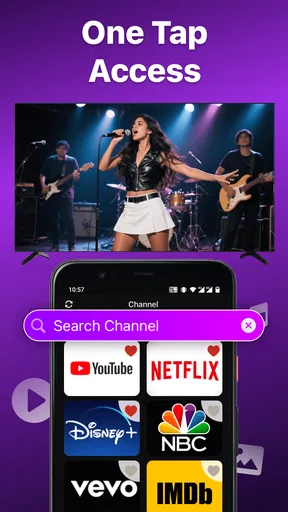
Once connected, the app opens up a world of possibilities. It’s not just about changing channels or adjusting the volume. The app offers features like a keyboard for easy text input which is a game-changer when you’re searching for that obscure show title. The app also includes a voice command feature, making it feel like you’ve got your own personal assistant.
Another cool feature? The ability to control multiple TVs from the same app. So, if you’re like me and have a TV in every room, you can easily switch between them with just a tap. No need to juggle multiple remotes or apps. It’s all in one place.
Performance and Usability
Now, let’s talk about performance. I found the response time to be impressive. Commands are executed almost instantly, without any noticeable lag. The connection remained stable throughout my testing, which is crucial for uninterrupted binge-watching sessions.
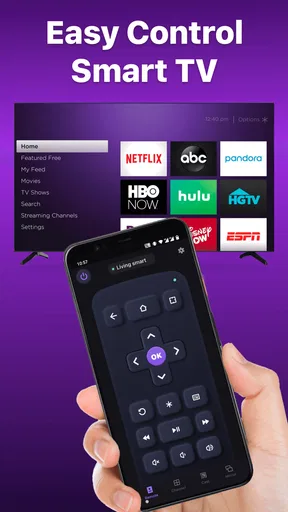
Usability-wise, the app is pretty intuitive. The layout is clean and doesn’t bombard you with unnecessary options. The buttons are large enough for easy tapping, and the overall design feels modern and sleek. It’s clear that a lot of thought went into making this app both functional and aesthetically pleasing.
Making it work in everyday situations
Here is a practical way I would use it: I settle in to watch something, realize the remote has disappeared, and use the phone to search for a title rather than laboriously moving across an on-screen keyboard one letter at a time. The phone keyboard is especially useful for a long or unfamiliar title. I would still keep the physical remote nearby if I were changing settings or navigating repeatedly, since a touchscreen does not offer the same tactile feedback.
For a household with more than one television, the multiple-TV option can reduce app-hopping, but it also makes naming and selecting the right set important. Before a guest uses the phone, I would make sure the chosen TV is the intended one; otherwise, a button press may affect a different room than expected. That small habit is more useful than treating the app as a one-tap replacement for every remote in the home.
Voice control can be convenient when your hands are occupied, but I would regard it as an extra way to interact rather than the only one. If speaking to a phone is awkward in a shared room, the keyboard and ordinary controls remain more discreet. Likewise, searching by keyboard can save effort, while volume changes are often quicker with a physical button. The best workflow is to use the app for the task it makes easier, not force every viewing action through the phone.
Compatibility and Limitations
While the app supports a wide array of TV brands, it’s always a good idea to check compatibility before diving in. Most major brands are covered, but if you have a particularly old or obscure TV model, you might want to double-check.
One thing to note is that the app works best with smart TVs. If you’re still rocking an older model, you might not get the full experience. However, there are still options available, such as using an external IR blaster, but that could be a bit of a hassle.
When connection or control is less convenient
If the phone and TV do not appear to find each other, I would first check that they are on the same Wi-Fi network and that the TV is switched on and ready to connect. In a home with separate network names or guest Wi-Fi, being connected to the internet is not necessarily the same as being on the same local network as the television. Checking that detail before reinstalling the app can save time.
If the connection is intermittent, the app may be less useful for quick, repeated adjustments than the physical remote. A phone also needs to be unlocked and available, and its battery matters in a way a basic remote’s battery usually does not during a viewing session. For those reasons, I see a phone controller as a strong backup or a useful text-entry tool, not something every viewer should discard their original remote for.
It is also worth separating brand support from model-level certainty. A familiar manufacturer name is a good starting point, not a promise that every television or every setup behaves identically. If you are deciding whether to spend money on an optional feature, first try the core controls with your own TV and consider whether they solve a real problem. That is a more sensible test than paying simply because the app offers an upgrade.
Final Thoughts
So, is the TV Remote Control for All TV app worth downloading? In my opinion, absolutely. It’s a convenient, reliable solution to the age-old problem of misplaced remotes. The app combines functionality with ease of use, making it a must-have for anyone looking to streamline their TV viewing experience.
Whether you’re a tech enthusiast or just someone who appreciates convenience, this app is a solid choice. It’s transformed my TV time into a seamless experience, and I’m pretty sure it’ll do the same for you. So, why not give it a try and see how it fits into your daily routine?
A cautious recommendation
My recommendation is strongest for someone with a compatible smart TV who wants phone-based controls, easier text input, or a backup when the remote is misplaced. I would be more cautious if the TV is older, if you rely on physical buttons, or if you need a controller that works without troubleshooting a network connection. In those cases, a manufacturer-specific app or a replacement remote may be a better match.
Overall, I like the idea of having the controls and keyboard in one device, and the app’s broad brand focus makes it worth trying before buying another remote. I would start with the free option, confirm that the television connects and responds as expected, and only then decide whether any optional purchase is worthwhile. That keeps the decision practical: if the app works well with your actual setup, it can be a handy addition; if it does not, the usual remote remains the safer choice.
Verdict
Strengths of TV Remote control for All TV
- Easy setup process across devices.
- Supports a wide range of TV brands.
- User-friendly interface design.
- Customizable remote layout options.
- Stable connection with minimal lag.
Limitations of TV Remote control for All TV
- Contains occasional intrusive ads.
- Limited features in the free version.
- Requires Wi-Fi for full functionality.
- Incompatible with some older TVs.
- May drain battery quickly on some devices.
Other Releases by BoostVision
View All
Remote for Fire TV & FireStick
Entertainment4.0

Universal TV Remote for All TV
Tools4.4

Remote for Smart Samsung TV
House & Home4.2

AirMirror: TV Cast & Mirror
Video Players & Editors4.3
Similar Picks in This Category
View All
Google LLC4.0

Gboard - the Google Keyboard
Google LLC4.5

Google Play services
Google LLC4.3

Google Play Store
Google LLC4.9

Files by Google
Google LLC4.5

SHAREit: Transfer, Share Files
Smart Media4U Technology Pte.Ltd.4.3
Frequently Asked Questions
Is the TV Remote Control for All TV compatible with all television brands?
Yes, the TV Remote Control for All TV is designed to work with a wide variety of television brands. It supports popular brands such as Samsung, LG, Sony, and Panasonic, among others. However, it's always a good idea to check the app's compatibility list on its official page to ensure it supports your specific TV model.
What features does the TV Remote Control for All TV app offer?
The app provides a comprehensive set of features, including power on/off, volume control, channel navigation, and input source switching. It also offers advanced features like voice commands, customizable buttons, and a user-friendly interface to enhance your viewing experience. Some versions may include a touchpad for smart TV navigation.
How do I connect the TV Remote Control for All TV app to my television?
To connect, ensure your smartphone and TV are on the same Wi-Fi network. Open the app and follow the on-screen instructions to pair it with your TV. Some televisions may require you to enter a pairing code or enable certain settings. The app provides a step-by-step guide to simplify the process.
Is the TV Remote Control for All TV app free to use?
The app is available for free download, offering basic remote control functionalities. However, there may be in-app purchases or subscription options for premium features such as ad-free usage or advanced customization settings. Check the app store listing for detailed pricing information.
What should I do if the TV Remote Control for All TV app isn't working properly?
First, ensure your phone and TV are connected to the same network and the app is updated to the latest version. Restart both devices and try reconnecting. If issues persist, consult the app's support section or contact customer service for troubleshooting assistance. Reinstalling the app can also resolve common problems.
